S-Log3 LUTs
LUTs for Sony S-Log3: 62 looks for Premiere Pro
LUTs built for Sony cameras shooting S-Log3 / S-Gamut3.Cine. Drop the file on your footage and the image goes from flat and gray to clean, or cinematic, in one click.
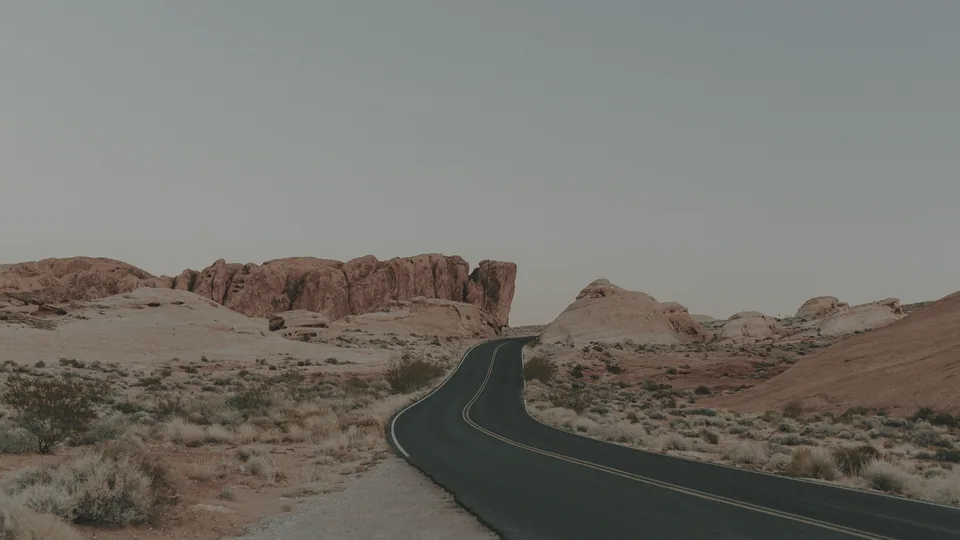

A royalty-free photo converted back to S-Log3, then run through the actual LUT from the pack. On your own footage, the result also depends on exposure and white balance.
The LUT packs
All the LUTs
All four packs together: 62 looks for Sony S-Log3, updates included.
$100$69S-Log3 LUTs
The Academy’s own pack: 32 looks for Sony S-Log3, from natural to black and white, as input LUTs and creative versions. 32 looks.
$34
Soft Cinema LUTs
Warm tones and controlled contrast for a film look, without breaking the image. 10 looks.
$22
Natural Skin LUTs
Made for talking-head video: skin tones stay true while the image gains softness. 10 looks.
$22
Social Media LUTs
Looks that stand out on a phone, for Shorts, Reels and TikTok. 10 looks.
$22
One-time purchase, no subscription. Your download link shows up right after payment, and by email too.
S-Log3 LUTs: the 32 looks
- Natural: Faithful and clean, the foundation for everything
- Crisp natural: Natural with more contrast and color, a punchier image
- Premium ad: Crisp and bright, bold but controlled colors
- Golden skin: Natural, with golden light on the skin
- Crisp and cool: Crisp and cool, a tech or corporate feel, skin preserved
- Editorial: Fashion editorial: elegant contrast, restrained colors
- Peach skin: Fresh, rosy skin tones
- Prestige: Prestige drama: understated, elegant, restrained colors (inspired by The Crown, Succession)
- Vigilante: Dense blacks and red-amber highlights (inspired by The Batman)
- Dusk: End-of-day warmth: slightly violet shadows, golden highlights
- Amber and steel: Amber highlights, steel-gray shadows
- Blockbuster: Cinema teal & orange: teal shadows, warm skin
- Extreme teal orange: Teal & orange pushed all the way, very contrasty
- Teal night: Darker, with teal shadows and midtones, a nighttime mood
- Night thriller: Blue-teal night, warm faces
- Petrol blue: Deep petrol blue and coppery skin
- Cyberpunk: Violet shadows, electric teal and neon orange lights
- Neo-noir: Very dark, only the skin keeps its color
- Moody charcoal: Dark, heavily desaturated, hard contrast
- Moody autumn: Dark and desaturated, with autumn tones kept
- Black velvet: Deep, velvety blacks, strong contrast, a touch of gold
- Signature moody: The moody look of social media: olive-teal greens, warm skin, held-back highlights
- Chiaroscuro: Painterly: dense blacks, golden light on the skin
- Tungsten 500T: Tungsten film stock: a slightly cool image, bluish shadows
- Deep black film: Dense film: strong contrast, deep blacks
- Reversal film: Contrasty, saturated film, rich reds and blues
- Tungsten 800: Tungsten film at night: blues, reds and warm lights
- Slide film: Reversal film: dense colors, deep blues
- Contrast B&W: Dense, graphic black and white
- B&W green filter: Green filter: denser skin, lighter foliage
- Selenium B&W: Black and white with a slight cool tone
- Infrared B&W: Very light foliage, an infrared effect
Soft Cinema LUTs: the 10 looks
- Classic: The essential warm cinema look: golden skin, dense blacks, soft contrast
- Golden Hour: End-of-day light: peach sky, warm shadows
- Soft honey: Honey warmth and gentle contrast, ideal for portraits
- Italian summer: Soft and sunny, with yellowed greens
- Indian summer: Copper foliage and a clear sky, a bright autumn
- Cognac: Deep, luxurious browns, a whisky-bar mood
- Candlelight: A nighttime interior lit by candles
- Cine negative: Cinema negative: soft, rich, very natural
- Cine print: Theatrical release print: cyan blacks, warm highlights
- Mint and peach: A soft, modern take on teal & orange
Natural Skin LUTs: the 10 looks
- Soft: Natural with softened contrast, slightly restrained colors
- Warm: Warmed-up natural: more golden skin, an inviting feel
- Smooth skin: Soft, even skin tones, richer greens
- Soft glow: Soft and luminous, for portrait and beauty
- Cozy home: A warm interior: wood and skin brought forward
- Northern light: Clean and airy, soft colors like a Scandinavian interior
- Documentary: Understated and believable, documentary style
- Portrait 400: Portrait film stock: warm pastels, peach skin
- Wedding white: Bright whites and preserved skin, very wedding
- Matte: Lifted blacks for a soft, matte look
Social Media LUTs: the 10 looks
- Social vivid: Colors that pop on mobile, without orange skin
- Vivid: Bolder colors and crisp contrast, without going overboard
- Teal matte: Teal-tinted lifted blacks, a social media look
- Lagoon: Travel: golden sand and turquoise water
- Cyan pop: Cyan skies and water, vibrant greens, very bright
- Sorbet: Fruity and tangy, sorbet colors
- Riviera: Mediterranean: azure blues, warm whites
- Gold 200: Consumer film stock: golden yellows, vivid reds
- Neon: Neon pink and cyan, for a party or club
- Sports: Hard-hitting and energetic, sports-ad style
Which cameras are they for?
For Sony cameras that shoot S-Log3 / S-Gamut3.Cine, such as the A7 IV, A7S III, A7C II, FX3, FX30, FX6, ZV-E1 or A1. The “Créatif” (creative) looks also work on footage that’s already Rec.709 from other cameras, with a slightly different result.
How to apply an S-Log3 LUT in Premiere Pro
The quick method
- Select your S-Log3 clip and open the Lumetri Color panel.
- Under Basic Correction, in Input LUT, choose a file from the “Sur le rush S-Log3” folder (for S-Log3 footage): conversion and look in a single step.
- Look too strong? Use its 50% version, included for every look.
The flexible method (recommended)
- In Input LUT, apply the neutral conversion “ADM Base - S-Log3 vers Rec.709” (S-Log3 to Rec.709).
- Set exposure and white balance on an image that already looks normal: it’s much easier.
- Under Creative, in Look, choose the “Créatif” (creative) version of the look, then dial it in with the Intensity slider.
In DaVinci Resolve, the same .cube files go on a node. Final Cut Pro also reads the .cube format.
The mistakes that ruin an S-Log3 LUT
- Double conversion. Recent versions of Premiere Pro can convert S-Log3 automatically. If the image turns very contrasty with an S-Log3 LUT, the conversion is happening twice: turn off the automatic detection of log media.
- Overexposure. The LUTs expect exposure “by the meter.” If you overexpose by 1 to 2 stops, bring exposure down before the look, or the highlights get crushed.
- White balance. No LUT fixes it: set it before the look.
Format: 3D .cube, 65-point for the S-Log3 LUTs and the Base, 33-point for the creative looks. Rec.709 gamma 2.4 output. File and folder names are in French.
Try before you buy
The free kit includes a soft LUT to test on your own footage, along with three other resources.
Frequently asked questions
Do the LUTs work on an iPhone or another camera brand?
The S-Log3 versions are made for Sony cameras in S-Log3 / S-Gamut3.Cine. The “Créatif” (creative) versions apply to footage that’s already Rec.709, whatever the camera, with a slightly different result.
Which software can I use these LUTs in?
They’re .cube files: they open in Premiere Pro (Lumetri Color), DaVinci Resolve and Final Cut Pro, among others.
Can I use them for my clients?
Yes, in your videos and your clients’ videos, including commercial work. You can’t resell or share the files.
Do I need a subscription?
No, it’s a one-time purchase. The “All the LUTs” pack includes updates.